A hybrid or remote employee will need a NAT rule set up on the Sophos firewall in order to communicate with Fiserv and log into Cleartouch. (Branch staff with desktop computers do not need Sophos NAT rules.) To confirm if a user already has a NAT rule established, follow the steps below.
- Log into Sophos Central
- Select My Products > Firewall Management > Firewalls
- Select the Cleveland Firewall
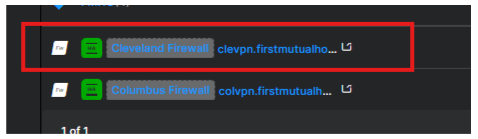
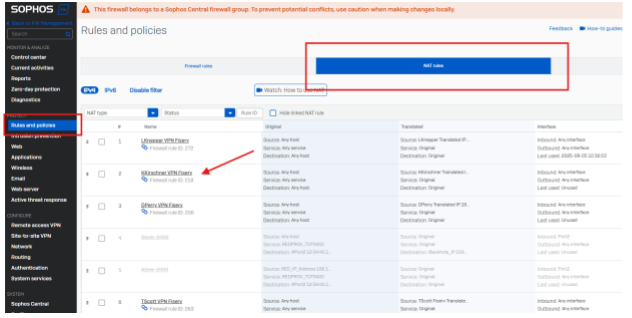
- Select Rules and Policies
- Select NAT Rules
- Search by last name to find the NAT rule as shown below
If you determine that no NAT rule exists for the employee, please contact IT Engineering to get one set up.
Was this article helpful?
That’s Great!
Thank you for your feedback
Sorry! We couldn't be helpful
Thank you for your feedback
Feedback sent
We appreciate your effort and will try to fix the article