Users will receive the below image on the remote server if we are out of licenses.
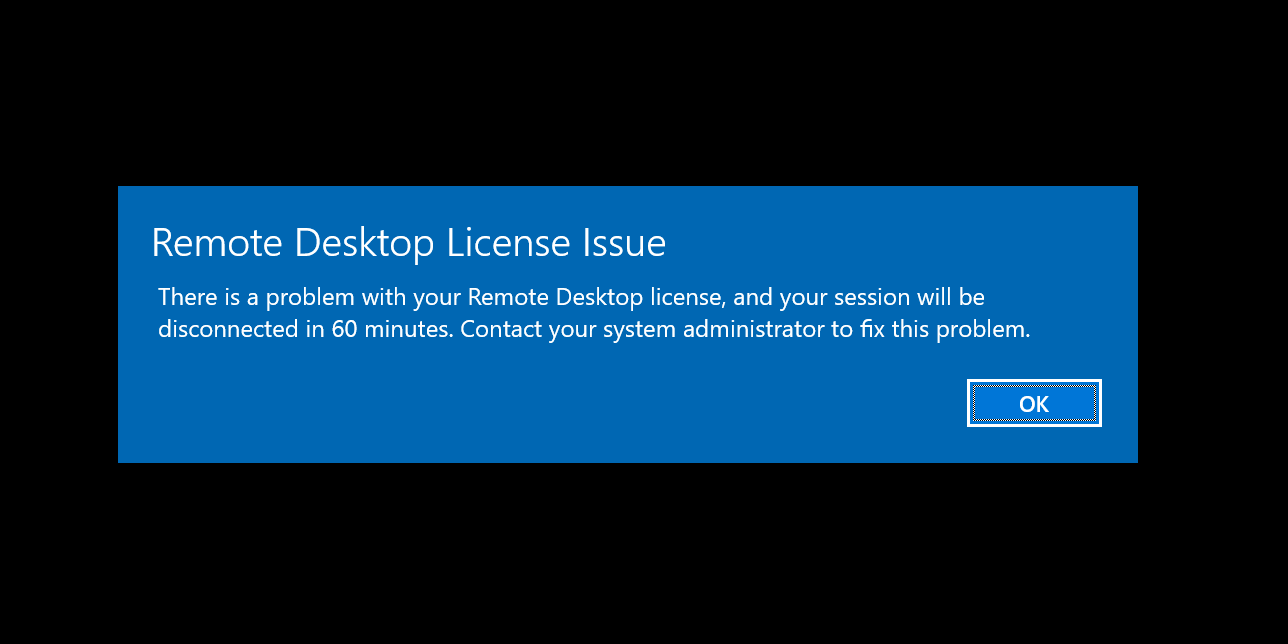
For a temporary fix, we can revoke some licenses for users that are inactive.
To do so, go to Server Manager. (Run and then type in "servermanager")
Once in, click tools in the top right, "Remote Desktop Services", "Remote Desktop Licensing Manager".
This will take you to a page like this:
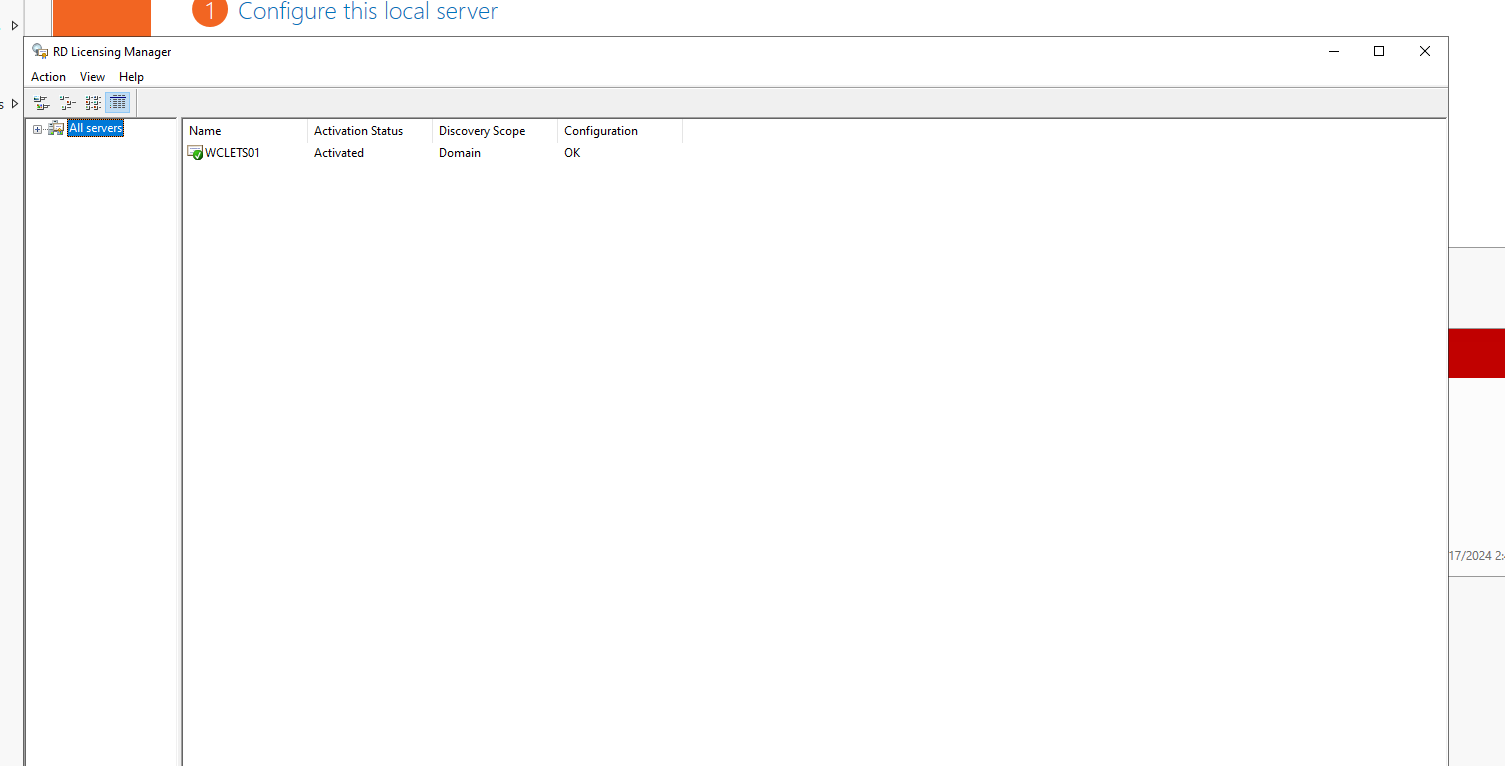
Expand the left twice. Click "Windows Server 2022 - Installed RDS Per Device CAL":
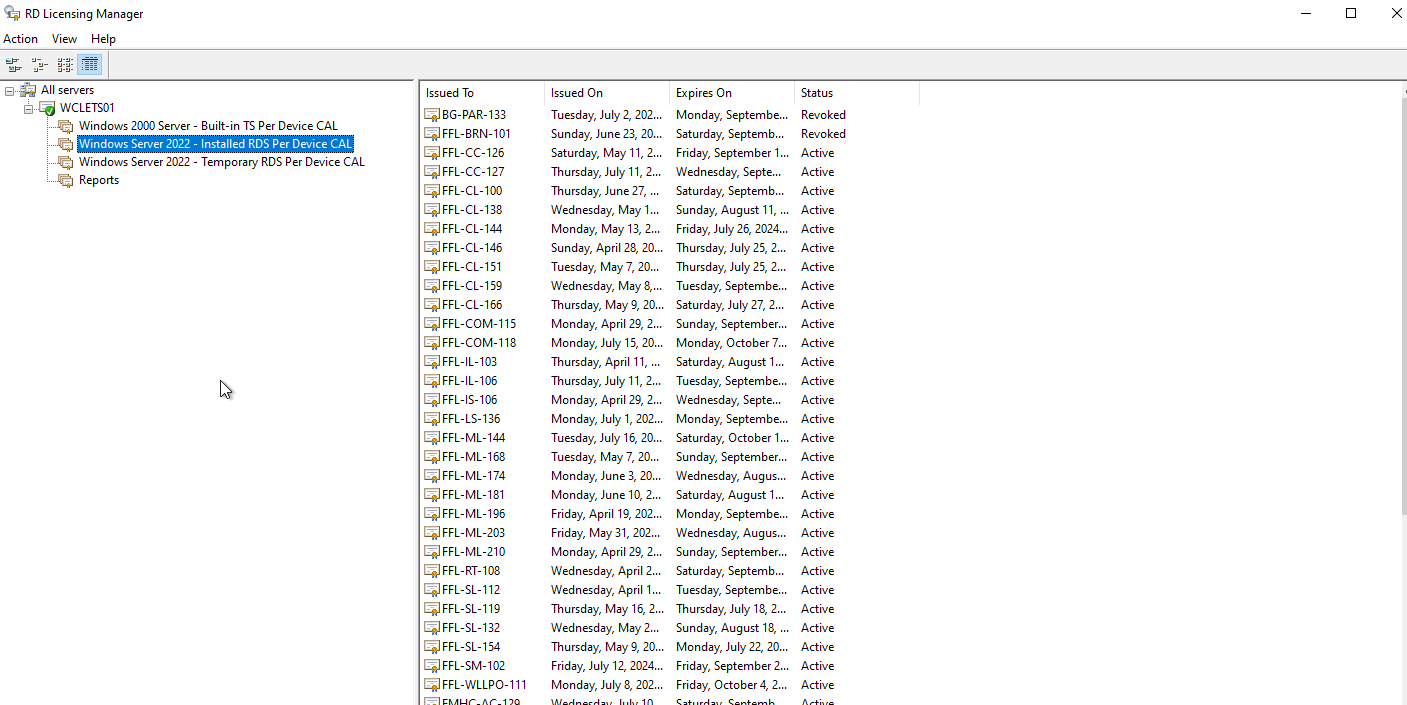
Right click machines with older dates and revoke their license. Can do up to 10 per day.
Was this article helpful?
That’s Great!
Thank you for your feedback
Sorry! We couldn't be helpful
Thank you for your feedback
Feedback sent
We appreciate your effort and will try to fix the article