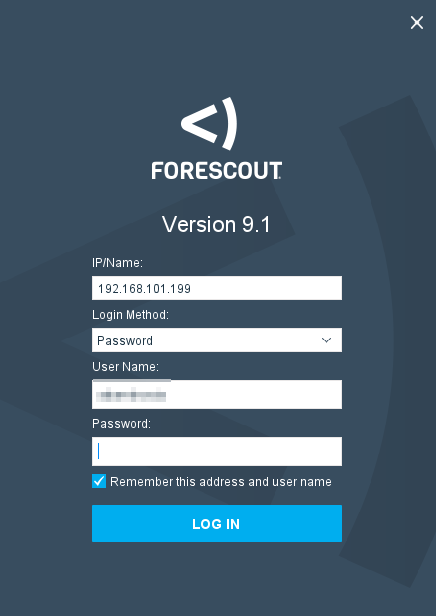
Sign in info:
AD username and password
***********************************
Occasionally, a computer on the network may get "NAC'd" and put into a separate VLAN. Currently, the machine gets put into VLAN 1999 (on any switch), which is a Layer 2 subnet that goes nowhere, meaning the machine will not even pick up an IP address and will not be able to access the internet/network. (Previously, VLAN 199, the "Guest" VLAN, was used.)
While this should not happen to work computers on our domain, ForeScout may detect something that makes it think it is a guest computer that should not be on our network. When it results in one of these false positives, do the following to set the computer back to its appropriate VLAN.
Note: The CISO is alerted via email when a computer gets NAC'd. You can also receive these alerts by joining the ForeScout Alerts distribution group in AD.
From the alert message, you can copy/paste the switchport into ForeScout to search and see if another device is connected at that same switchport, i.e. if a phone is concatenated.
- Launch ForeScout as DAA
- In the left-hand column, look under FMHC --> 4 - Control --> Branch or Lakewood --> Irresolvable
- Right-click on the machine, select Cancel Actions --> click the one option you see (Reset VLAN or Switch VLAN Change)
- Should be resolved within 5-10 seconds.
***********************************
OLD steps: Search for the affected computer --> right click --> Manage --> Add to group: Corporate Hosts (for one of our internal machines). This should prevent it from getting into 199 again.
(If not a computer, select the appropriate group, i.e. ATMs, or for another type of device.)
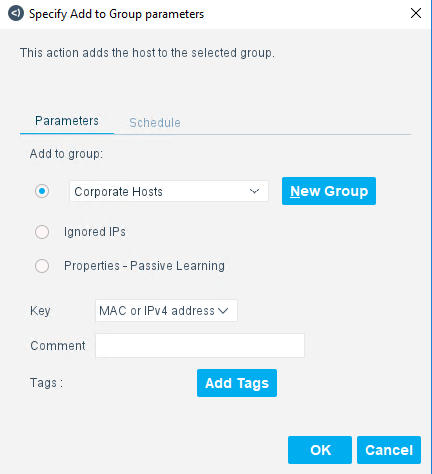
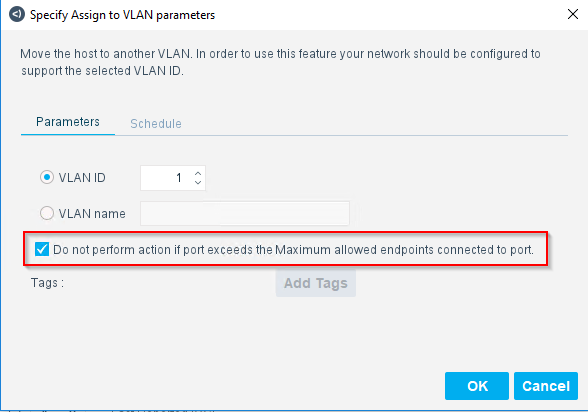
Then, right-click --> Restrict --> Assign to VLAN --> (select the appropriate VLAN the computer should be in, i.e. 2 at LKW HQ) --> OK. Give it about 30 seconds, then it should switch back to a .2 address or the normal VLAN.
In this window, un-check the following box if there are two or more devices, like a phone, on the same switchport.
If the VLAN does not change quickly: Right-click --> Recheck to force it to refresh.
VLAN 198 (Remediation VLAN): If antivirus definitions, etc. are way out of date, a computer may be put into VLAN 198 temporarily to communicate with Sophos to get updates before it gets put into the appropriate VLAN.
There is a separate alert distribution group in AD for when devices get put into this VLAN (ForeScoutAlerts-AV).
Was this article helpful?
That’s Great!
Thank you for your feedback
Sorry! We couldn't be helpful
Thank you for your feedback
Feedback sent
We appreciate your effort and will try to fix the article