Occasionally, a user may run into the error message below when attempting to RDP into another machine:
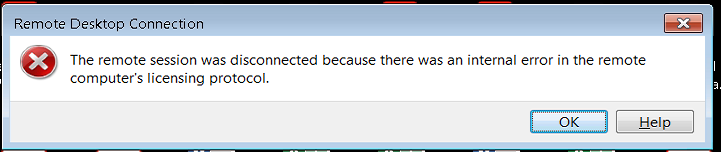
Windows 7
Find another computer (same OS version, i.e. Win 7 Enterprise), go to regedit -->
HKEY_LOCAL_MACHINE\SOFTWARE\Microsoft\MSLicensing >
Right-click on MSLicensing key > Export and save the .reg file.
Then, copy that .reg file to the user's machine where the issue is occurring and double-click to install it. This should fix it.
Also:
When using per-device CALs, RDP needs to write a license to
HKEY_LOCAL_MACHINE\Software\Microsoft\MSLicensing
and if it cannot, then you will get this message.
o Reason: logged on user does not have rights to write to registry location
o Solution: Disable UAC or give user necessary rights to reg location -- full control to local "USERS" group .
Windows 10
Delete the following in regedit:
Computer\HKEY_LOCAL_MACHINE\SOFTWARE\WOW6432Node\Microsoft\MSLicensing\HardwareID
Computer\HKEY_LOCAL_MACHINE\SOFTWARE\WOW6432Node\Microsoft\MSLicensing\Store\License000
Then, grant full control to local "USERS" group on:
Computer\HKEY_LOCAL_MACHINE\SOFTWARE\WOW6432Node\Microsoft\MSLicensing
Was this article helpful?
That’s Great!
Thank you for your feedback
Sorry! We couldn't be helpful
Thank you for your feedback
Feedback sent
We appreciate your effort and will try to fix the article