Occasionally, when deleting a former employee in Active Directory after they have been gone for six months, you may encounter messages like these:
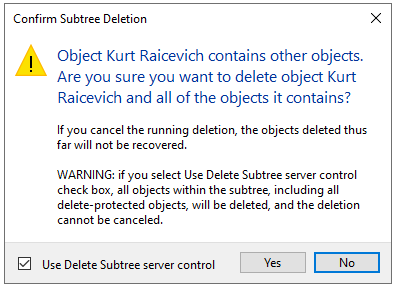
OK to check the box and click Yes to proceed.
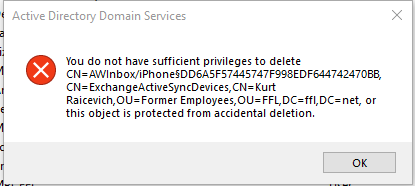
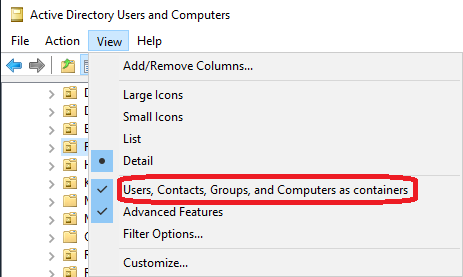
You can go into ADUC and in the View menu, check "Users, Contacts, Groups, and Computers as containers" to see sub-objects within users. This was a permissions issue with the AirWatch inbox object.
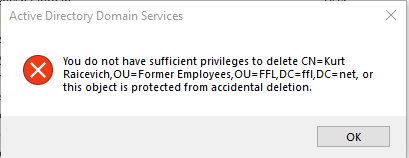
This may mean that in the user's profile, Object tab, the "protect from accidental deletion" box is checked.
Another quick way to delete users with this issue: Go to ADUC, bring up the user account properties, go to Security tab, give Everyone Full Control, Apply, close Properties > Delete user account after checking the Delete subtree check box.
Was this article helpful?
That’s Great!
Thank you for your feedback
Sorry! We couldn't be helpful
Thank you for your feedback
Feedback sent
We appreciate your effort and will try to fix the article