Every workstation that is set up with Cleartouch stores documents (typically in C:\Cleartouch3\Documents) that are used for customer transactions. These forms can be pulled up in Cleartouch Standalone Documents.
These files are in FXL format. The core admin team (AlloBaaS Cleartouch team) uses an app called CSi Custom Document Editor to create files in this format, usually from an existing PDF form:
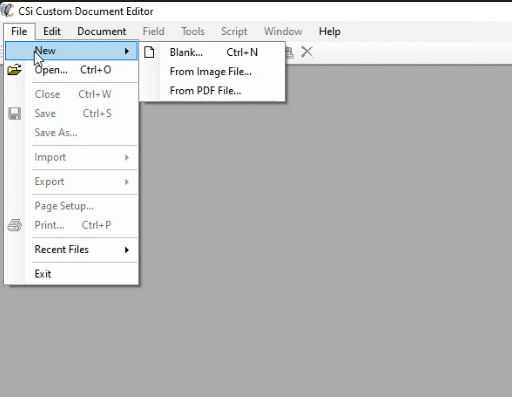
Fiserv is also involved in the creation of these FXL files, as they need to ensure proper mapping of each field in the document.
Updated files are stored on the main Cleartouch server and should be automatically pushed out to all workstations. If a workstation is ever missing a specific file, it can also be copied manually from the server or another workstation.
Was this article helpful?
That’s Great!
Thank you for your feedback
Sorry! We couldn't be helpful
Thank you for your feedback
Feedback sent
We appreciate your effort and will try to fix the article