As of July 2026, encrypted emails may be sent using Microsoft Email Encryption. Emails containing NPPI or sensitive information, like Social Security numbers or account numbers, in the body or attachment(s), will be automatically encrypted.
Any email, regardless of its content, can be sent encrypted in the following ways:
- By putting Secure: at the beginning of the Subject line. You may enter the actual subject of the email after that.
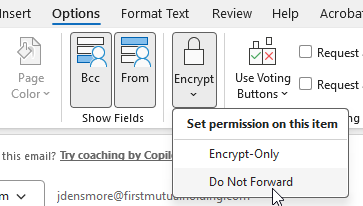
- Within the message going to Options – Encrypt
- From there you can also choose to prevent the message from being able to be forwarded by the recipient by selecting the Do Not Forward option
3. If the recipient uses Microsoft O365 for their email service, they will typically not have to take any additional steps to read the encrypted email. Since they are already authenticated to an O365 service the encrypted email will be natively visible to them.
4. If the recipient uses a non-Microsoft email provider like Gmail, they will receive the notice of the encrypted email like is shown below.
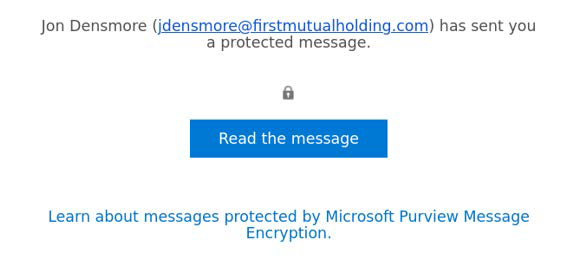
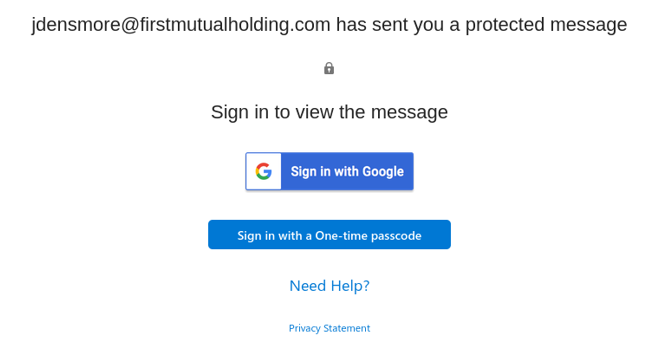
5. When the recipient clicks on Read the Message they will be taken to the next screen to validate who they are. It is recommended that they sign in using the One-time Passcode option as that is usually the quickest and easiest.
6. They will then receive an email from MicrosoftOffice365@messaging.microsoft.com with their one-time code.
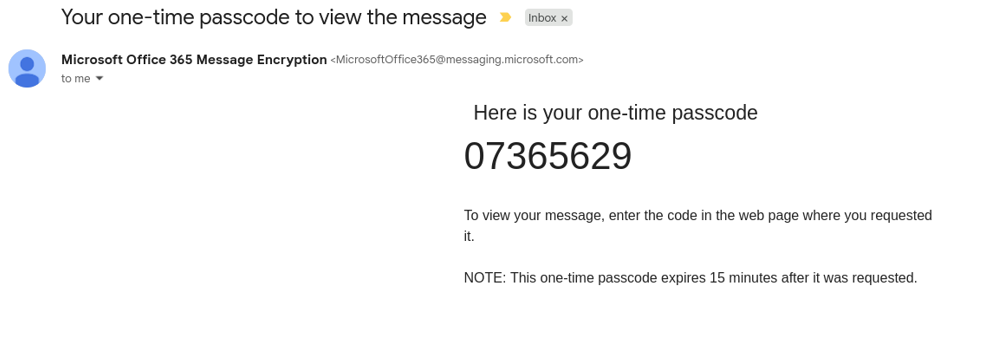
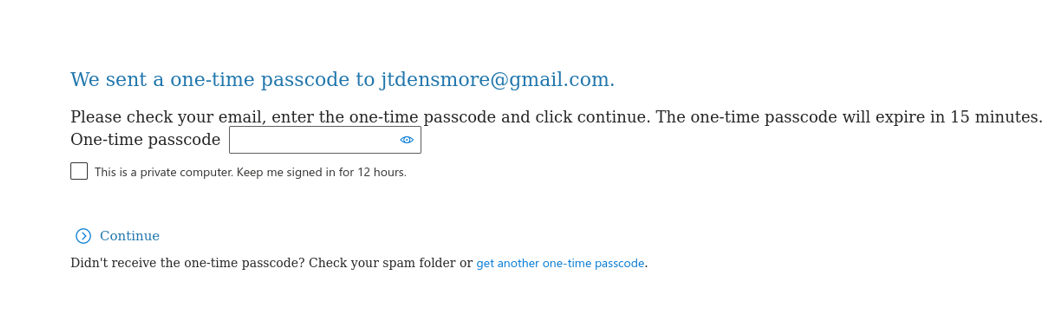
7. They would then go back and enter the one-time passcode as shown below and hit enter.
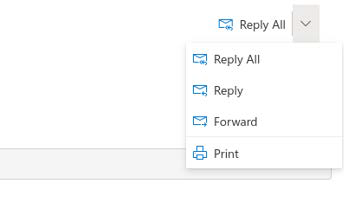
8. They would then have access to the encrypted email. From within the email they can securely reply, reply-all, forward, or print if those are allowed for the email.
If you need any assistance, please contact the Service Desk.
Was this article helpful?
That’s Great!
Thank you for your feedback
Sorry! We couldn't be helpful
Thank you for your feedback
Feedback sent
We appreciate your effort and will try to fix the article