Microsoft Edge supports IE mode still but only in certain scenarios. When opening a download via Sharepoint/OneDrive IE mode is not supported.
First, ensure that IE Mode is on in Microsoft Edge: Settings > Default Browser > Select "Allow" from dropdown
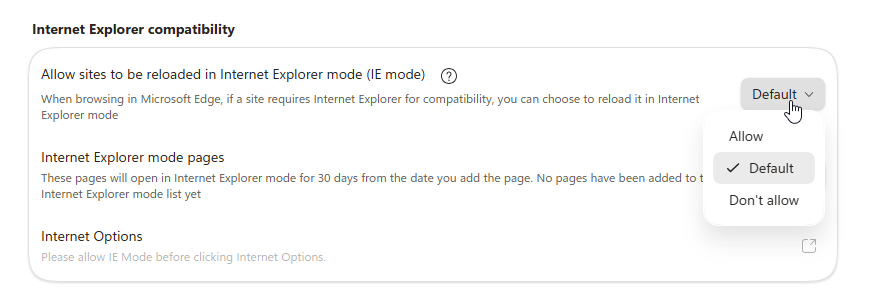
Make sure that the document is not opened via SharePoint
Instead, open the PDF directly from the downloads folder in File Explorer which will allow it to open in Edge as such:
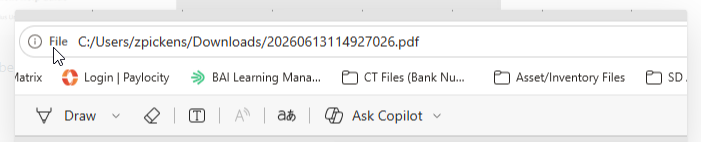
From there user should be able to select More Tools > Re- Launch with IE and print the check as desired.
Was this article helpful?
That’s Great!
Thank you for your feedback
Sorry! We couldn't be helpful
Thank you for your feedback
Feedback sent
We appreciate your effort and will try to fix the article