How to update the calendar view to show who has booked a Teams room / hotel space.
- Login to Microsoft 365 admin center --> Resources --> Rooms & Equipment
- Find the room you want to update
- Navigate to Users --> Active users --> and search the room you found in step 2
- Select into it and select "reset password", automatically create a password.
- Then, once you see a screen with the reset password and email, open an incognito window and navigate to outlook.office.com
- Login with the email and password
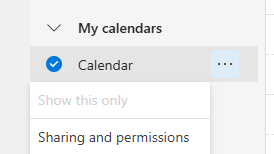
- Once logged in, go to Calendar, right click the calendar to bring up permissions
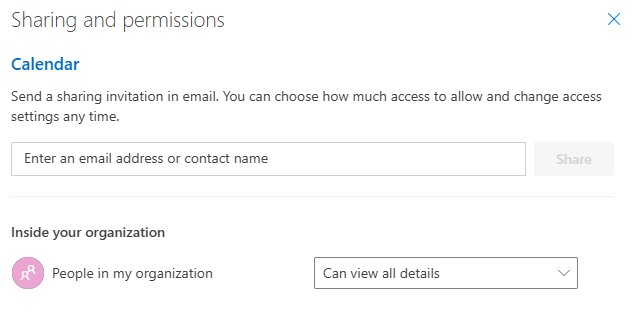
- Select Can view all details
- Add the Calendar to your outlook to confirm the change stuck.
Success!
Was this article helpful?
That’s Great!
Thank you for your feedback
Sorry! We couldn't be helpful
Thank you for your feedback
Feedback sent
We appreciate your effort and will try to fix the article