Occasionally, users may receive this error message when attempting to print new account documents in Cleartouch:
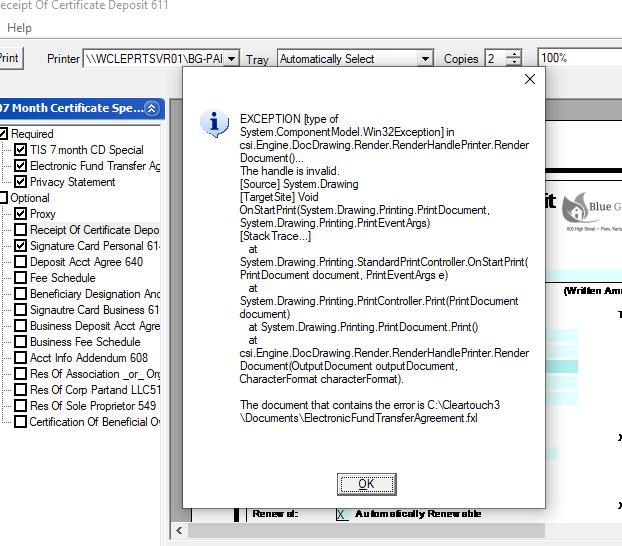
- Check PrintHost.exe (see KB article on General CT Troubleshooting steps), verify it is set to Windows 7 compatibility for ALL users
- Verify the desired printer actually exists / is installed in Windows, then check Cleartouch printer settings and make sure the Laser option matches that printer name & path EXACTLY as Windows
Was this article helpful?
That’s Great!
Thank you for your feedback
Sorry! We couldn't be helpful
Thank you for your feedback
Feedback sent
We appreciate your effort and will try to fix the article