Especially with users on the VPN, you may encounter situations where you need to remove software or perform tasks in Control Panel that require admin privileges while in the employee's user profile. (Switching user to your account will not work over the Sophos VPN.)
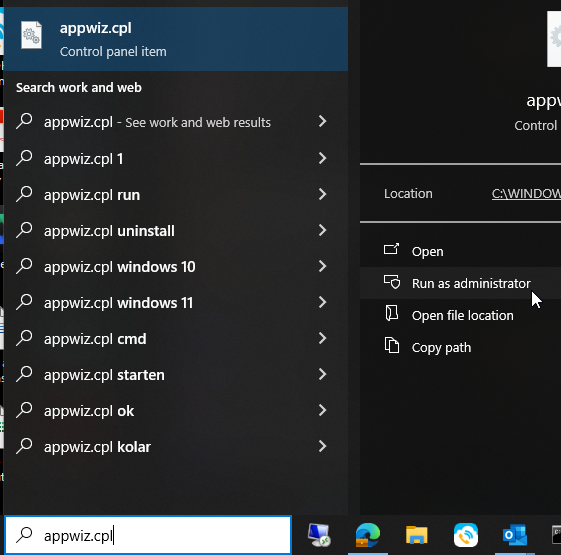
- Enter appwiz.cpl in the Windows search bar and when it comes up, select Run as Administrator
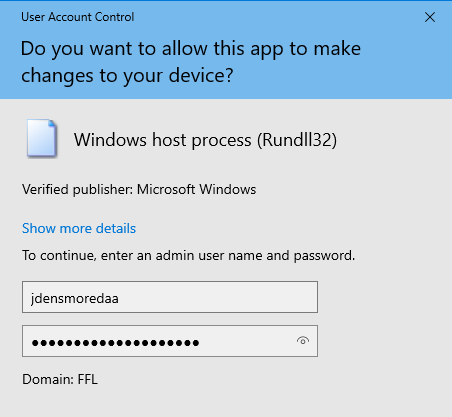
- Enter your DAA credentials when prompted
- This should launch Programs and Features with your admin rights
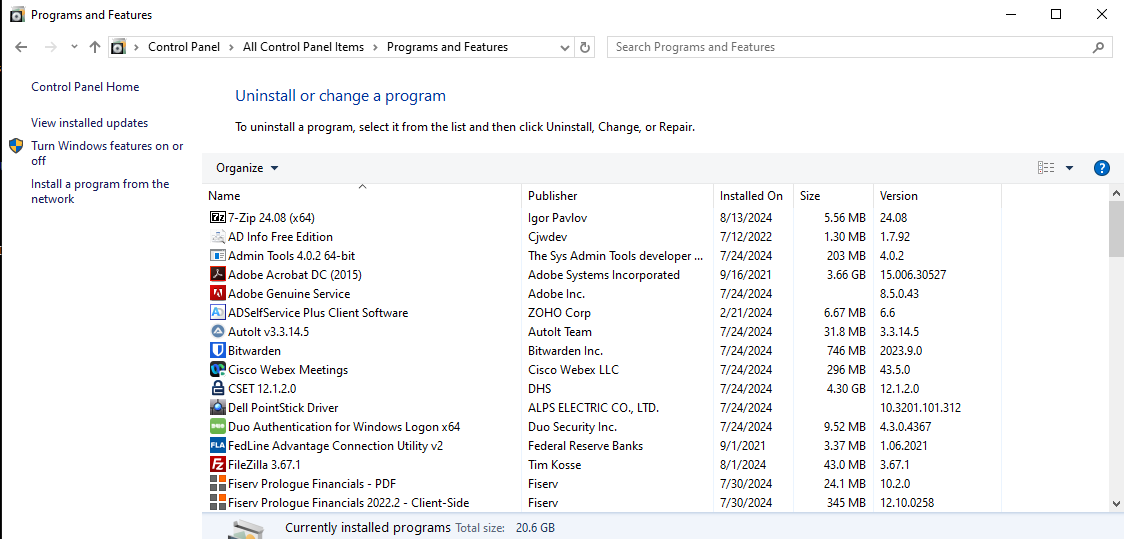
- As an added bonus, you can click on All Control Panel Items at the top to access other modules like Network and Sharing Center, though you may be re-prompted for your credentials.
Additionally, you can run Command Prompt as another user (your regular or DAA account) to launch other applications.
Was this article helpful?
That’s Great!
Thank you for your feedback
Sorry! We couldn't be helpful
Thank you for your feedback
Feedback sent
We appreciate your effort and will try to fix the article