Every five years, there is a cardservices certificate on our Trism server that expires and gets renewed. Upon renewal, Fiserv will send us the new certificate file (along with a text file containing a password) to install on the server. Follow the steps below to install.
The original certificate was from 2017. It last expired in August 2022, and is set to expire again in August 2027.
Make sure to do the certificate swap outside of branch business hours. If you do it during business hours, before proceeding, make sure the branches stop printing debit cards for 5-10 minutes while the certificate is being updated.
On the Trism server:
-Open MMC
-File --> Add/remove snap in
-Expand Certificates
-Computer account>Finish
-Certificates(on the right)
-Ok
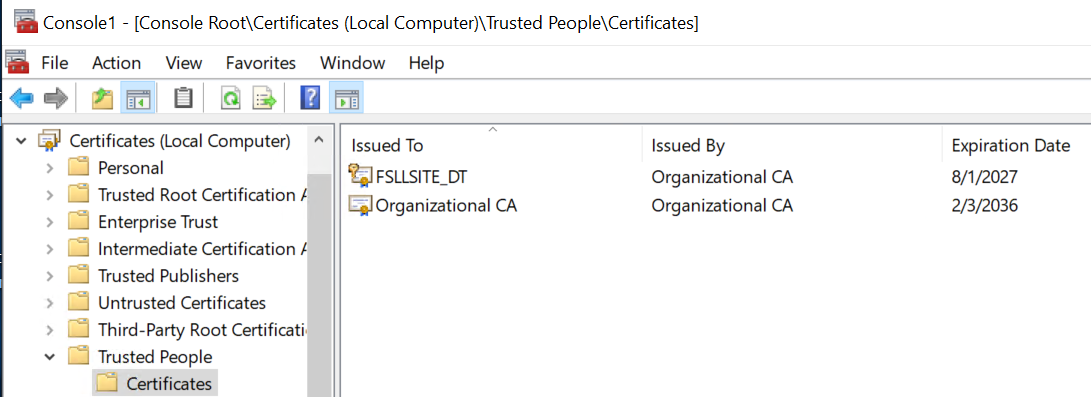
-Expand Trusted People --> Certificates
-Right click > Deleted old certificate FSLLSITE_DT
-Right click on Certificates>All Tasks >Import> Next> Select the PFX File>Paste Password from notepad provided with certificate> Next >Finish
-Stop / Start HID Cardservices Service
-Have branch users attempt to order / activate a card to confirm installation was successful
Was this article helpful?
That’s Great!
Thank you for your feedback
Sorry! We couldn't be helpful
Thank you for your feedback
Feedback sent
We appreciate your effort and will try to fix the article