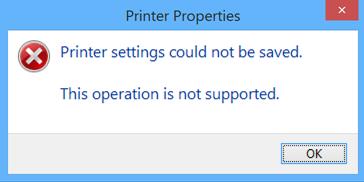
When trying to change drivers to the correct one on the print server (WLKWPrtSvr01), you may encounter the following error message:
“This operation is not supported” when changing the driver
This error can be seen when attempting to change a Type 4 to a Type 3 print driver on a shared printer.
Fortunately, there is an easy workaround:
- Right Click on the printer and choose Properties.
- Click on the Sharing tab and uncheck “Share this printer”.
- Switch to the Advanced tab and change the print driver to a Type 3 version.
- Return to the Sharing tab and recheck “Share this printer”.
Was this article helpful?
That’s Great!
Thank you for your feedback
Sorry! We couldn't be helpful
Thank you for your feedback
Feedback sent
We appreciate your effort and will try to fix the article