User must also be added to the ccmc_user group in AD.
*If CCMC is being installed for a new user, after pushing the Encompass SDK to their computer via SCCM, they may receive the following error message:
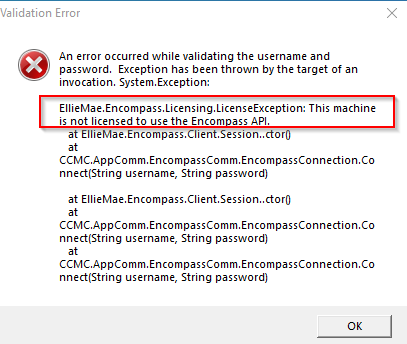
The Encompass SDK is licensed, so new employees need to be registered by System Administration using the steps below.
1. Navigate to the Ellie Mae Encompass admin tools under your Start menu.
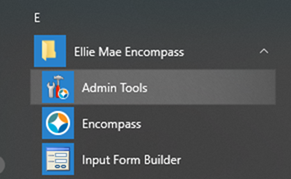
2. The Admin Tools will open. Select Register Encompass SDK 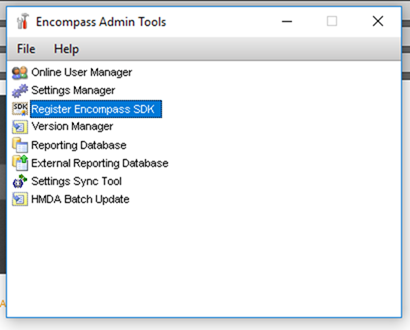
3. Follow the Ellie Mae prompts and enter the SDK supplied to you/your team during installation.
(As of March 2021, SDK AASVVCGTDY was provided by NXTsoft for 10 installs.)
Seats Used: BJohnson (FFL-PC-101)
If Admin tools is not available or accessible an end user can access the exe at:
C:\SmartClientCache\Apps\Ellie Mae\Encompass\AdminTools.exe
Was this article helpful?
That’s Great!
Thank you for your feedback
Sorry! We couldn't be helpful
Thank you for your feedback
Feedback sent
We appreciate your effort and will try to fix the article