From Jon Densmore (November 2025):
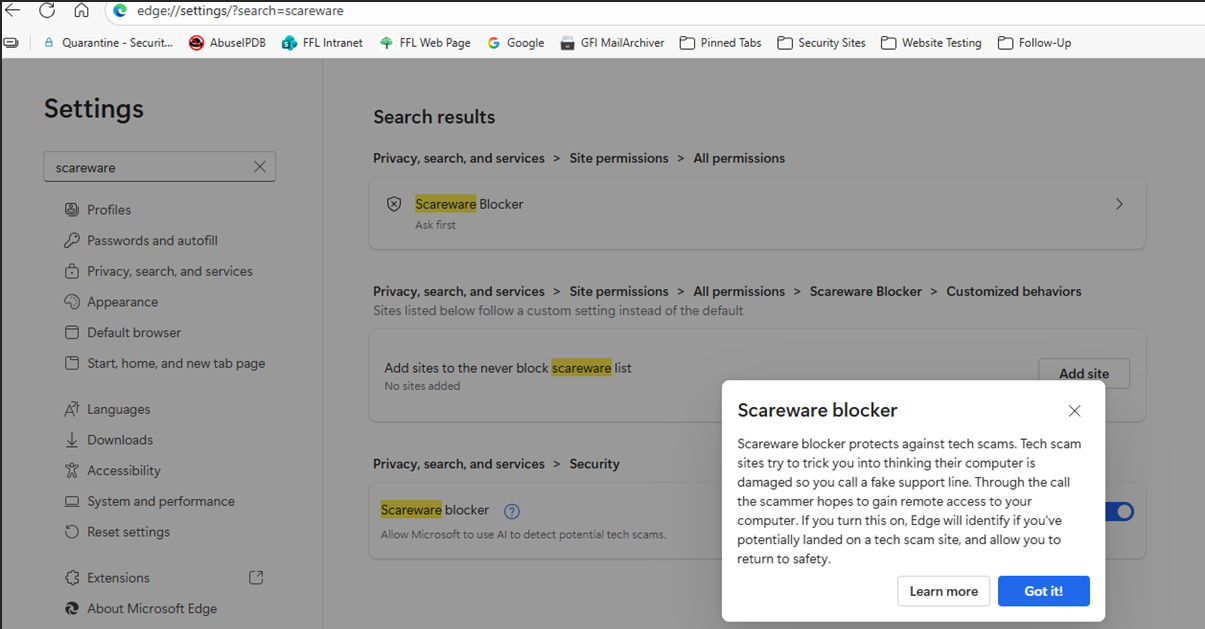
The current versions of Chrome and Edge, 142 for both, contain a new feature called "scareware blocker." This feature uses an LLM within the browser to scan your computer screen and block any full screen scam pop-ups that try to deceive the user that their computer is infected or similar and to call the number on the screen.
While this is a good thing for most people, it is compute intensive and I am assuming that we all know enough not be deceived by a pop-up like that. If you do not want this feature, which is enabled by default, you can disable it by just going to settings in Chrome or Edge, searching for “scareware” and disable it using the toggle switch. While this should not impact performance for most employees, this is something more to be aware of in case anyone does notice browser performance issues. It only runs on machines with at least 2 GB or RAM and 4 CPU cores, which all of our machines should have. It also does not run in browser private windows.
Was this article helpful?
That’s Great!
Thank you for your feedback
Sorry! We couldn't be helpful
Thank you for your feedback
Feedback sent
We appreciate your effort and will try to fix the article