Occasionally, a user may report that they can't hear sound in web browsers but can hear in Teams. To fix this, check the below steps.
- Check advanced audio settings and verify this is set to off.
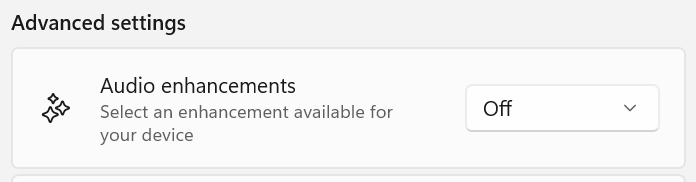
- Check drivers in device manager and update if needed
- Clear cache - In Chrome, go to Settings > Privacy and security > Clear browsing data.
- Reset Chrome browser.
Was this article helpful?
That’s Great!
Thank you for your feedback
Sorry! We couldn't be helpful
Thank you for your feedback
Feedback sent
We appreciate your effort and will try to fix the article