Effective March 1, 2024, computers connected to the network but turned off can remotely be turned on using Wake on LAN (enabled on all PCs on 2/29/24).
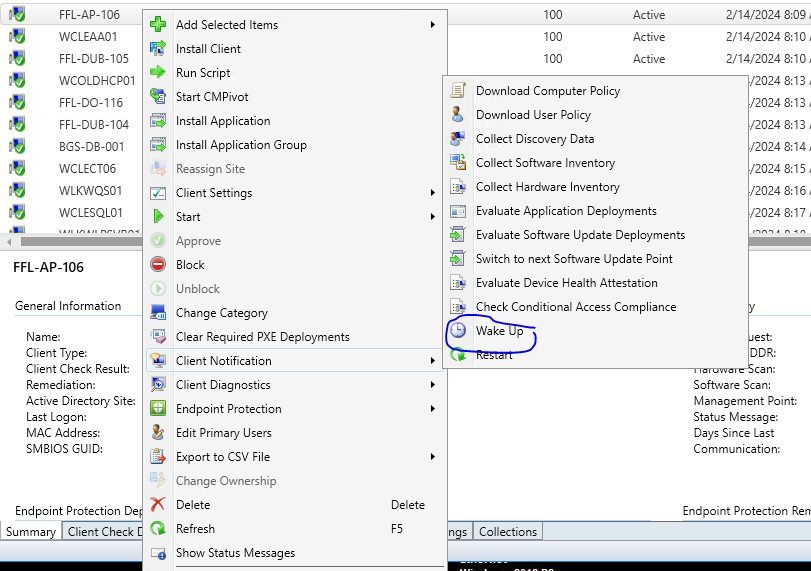
The actual wake-up process can be done in the SCCM console:
- Open the Configuration Manager console
- Select Assets and Compliance
- Select Devices
- Find the computer you wish to wake up and right-click it
- Select Client Notification --> Wake Up
- Verify the machine comes online
Was this article helpful?
That’s Great!
Thank you for your feedback
Sorry! We couldn't be helpful
Thank you for your feedback
Feedback sent
We appreciate your effort and will try to fix the article