Enabling .NET Framework 3.5 is a prerequisite for many app installations, like Encompass. It is typically already turned on by default on our standard image. However, this may be turned off on other affiliates' computers that were grandfathered into the FMHC network (not our standard image).
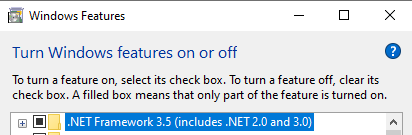
Attempts to turn this feature on may result in the following error message:
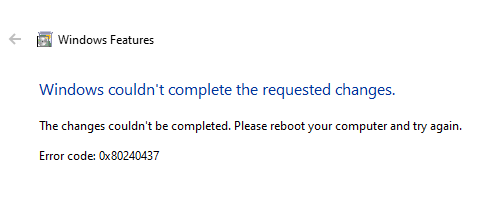
This can be fixed by copying over the Win10 ISO cab files to the local machine, then use a DISM command:
microsoft-windows-netfx3-ondemand-package.cab
Copy this sxs folder to C:\temp on the local workstation: G:\IT\TEMP\Win10-dotnet35-cabs\sxs
Then, run the following command in an elevated Command Prompt:
DISM /Online /Enable-Feature /FeatureName:NetFx3 /All /LimitAccess /Source:C:\temp\sxs
Was this article helpful?
That’s Great!
Thank you for your feedback
Sorry! We couldn't be helpful
Thank you for your feedback
Feedback sent
We appreciate your effort and will try to fix the article