Occasionally, users might encounter an issue with logging into BAI:
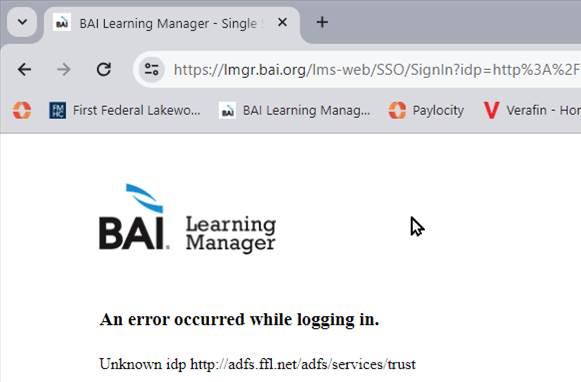
If this is happening bank-wide / with all employees, you may need to consult IT Engineering. See info from Matt Feightner:
When we replace the Service Communications certificate for ADFS, we need to send the updated metadata file to BAI. Unfortunately it seems that they're the only solution we need to do this for, but letting you know so we don't forget next year.
Exporting a metadata .xml file from your IdP
Export a metadata .xml file from your identity provider (IdP). This file contains information about the IdP that enables SSO to accept SAML assertions from it.
About this task
This procedure describes how to export a metadata .xml from Active Directory Federated Services (ADFS).
Procedure
- Use Chrome or Firefox to access the FederationMetadata.xml file on the ADFS server. Enter the following URL in your browser:
https://adfs.ffl.net/FederationMetadata/2007-06/FederationMetadata.xml
2. Send the xml file via secure email to BAI so they can replace the old file to allow SSO.
Was this article helpful?
That’s Great!
Thank you for your feedback
Sorry! We couldn't be helpful
Thank you for your feedback
Feedback sent
We appreciate your effort and will try to fix the article